Colors and settings, ComboView
Did you like the Factory Mission better? Well, let us make it equally pretty.
Now, let’s enhance the appearance of your mission. Follow the steps and choose colors that you like to make the graphics look their best.
Step 1. Spectran Traces
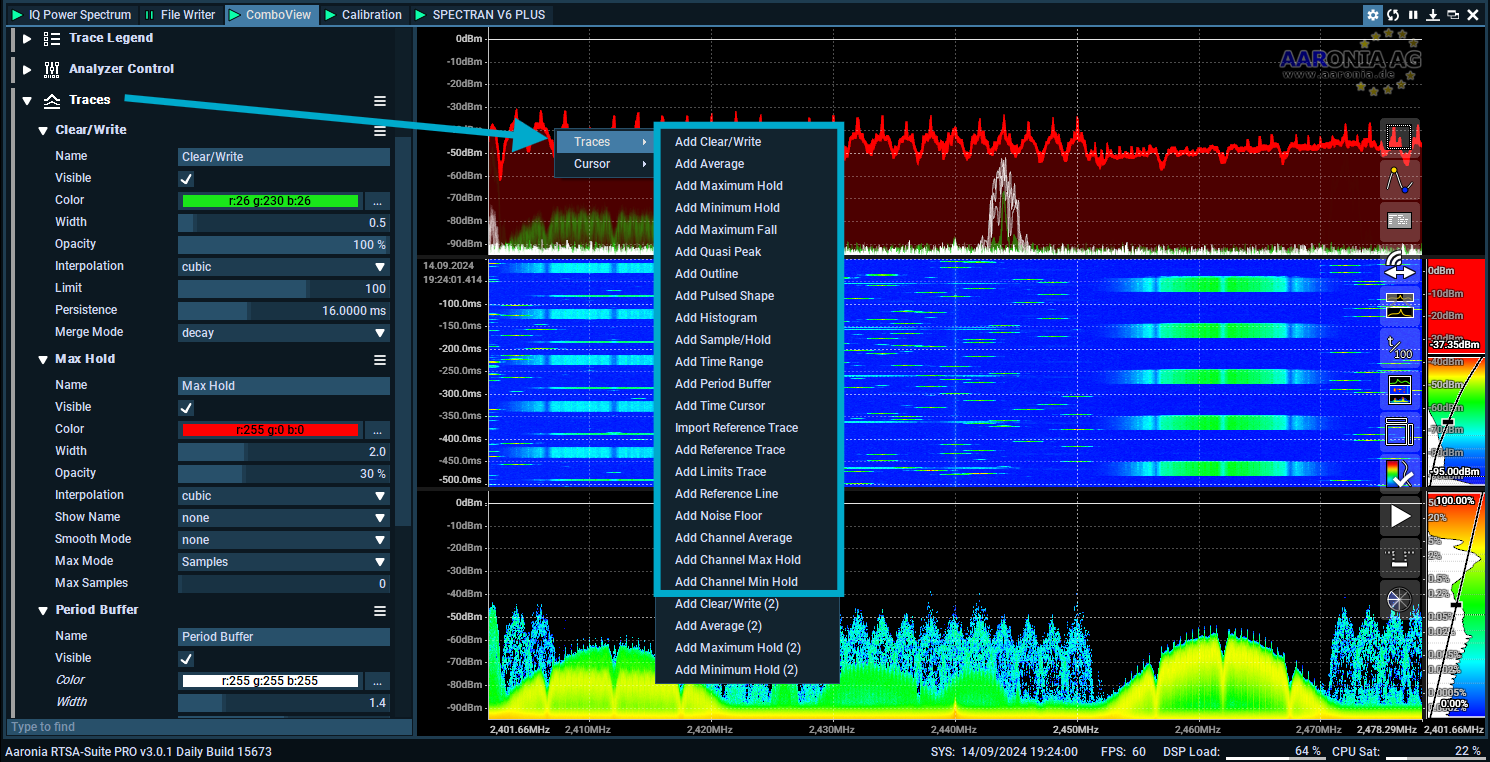
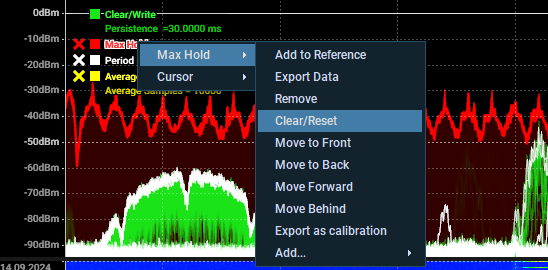
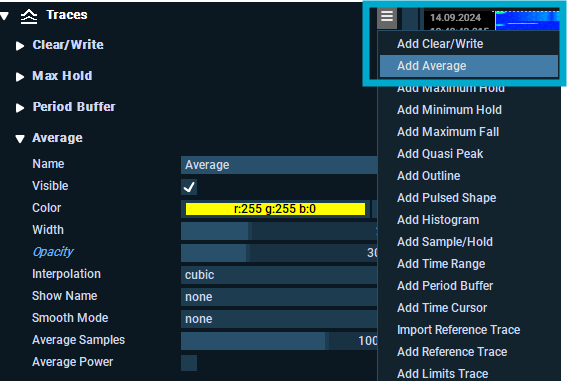
You can add a lot of different traces to the top-spectrum view in the ComboView block by right-clicking inside the view to get a list of all the traces, or you will find them inside the block itself.

A quick explanation of the traces that we will use:
1. Clear/Write
Purpose: Displays real-time data by clearing old information and showing new updates. Ideal for live monitoring.
2. Max Hold
Purpose: Shows the highest signal levels recorded over time. Useful for spotting peak values.
3. Period Buffer
Purpose: Captures and displays signal data over a set period. Good for observing long-term trends.
4. Average
Purpose: Averages signal levels to reduce noise and show a smoother view. Best for stable signal analysis.
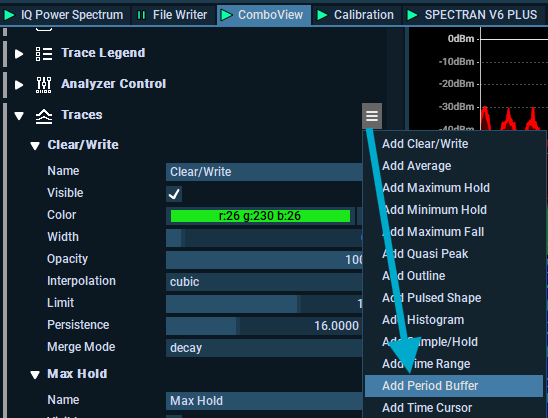
Add a Period Buffer Trace

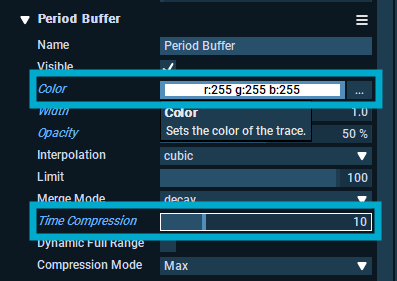
Change the color and time compression
Period Buffer
Color
White
Period Buffer
Time Compression
10

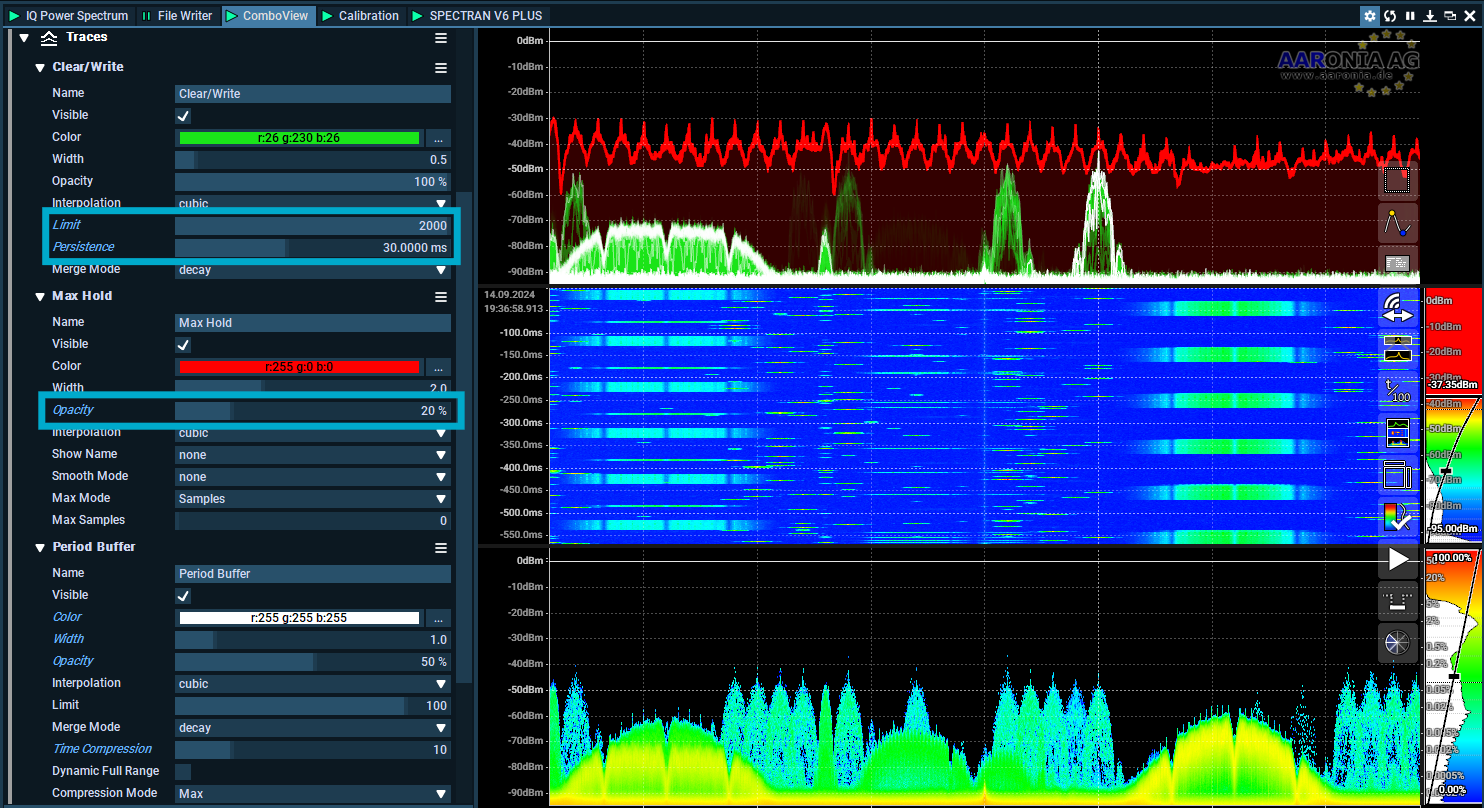
Change some settings in the Clear/Write block and Max Hold block.
Clear/Write
Limit
2000
Clear/Write
Persistance
30.00ms
Max Hold
Opacity
20%

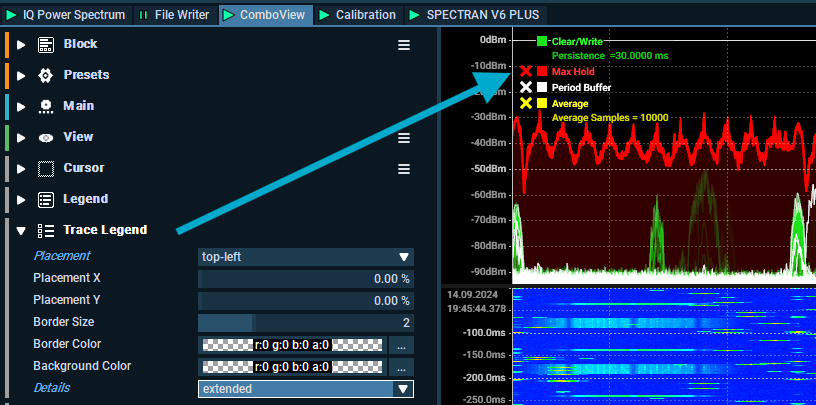
Add a trace legend

A trace legend makes it easier to quick-access all traces, for example if you need to clear the Max Hold data or by pressing the square next to the trace you can hide traces with ease.

(optional) add a Average trace

Step 2. Waterfall colors
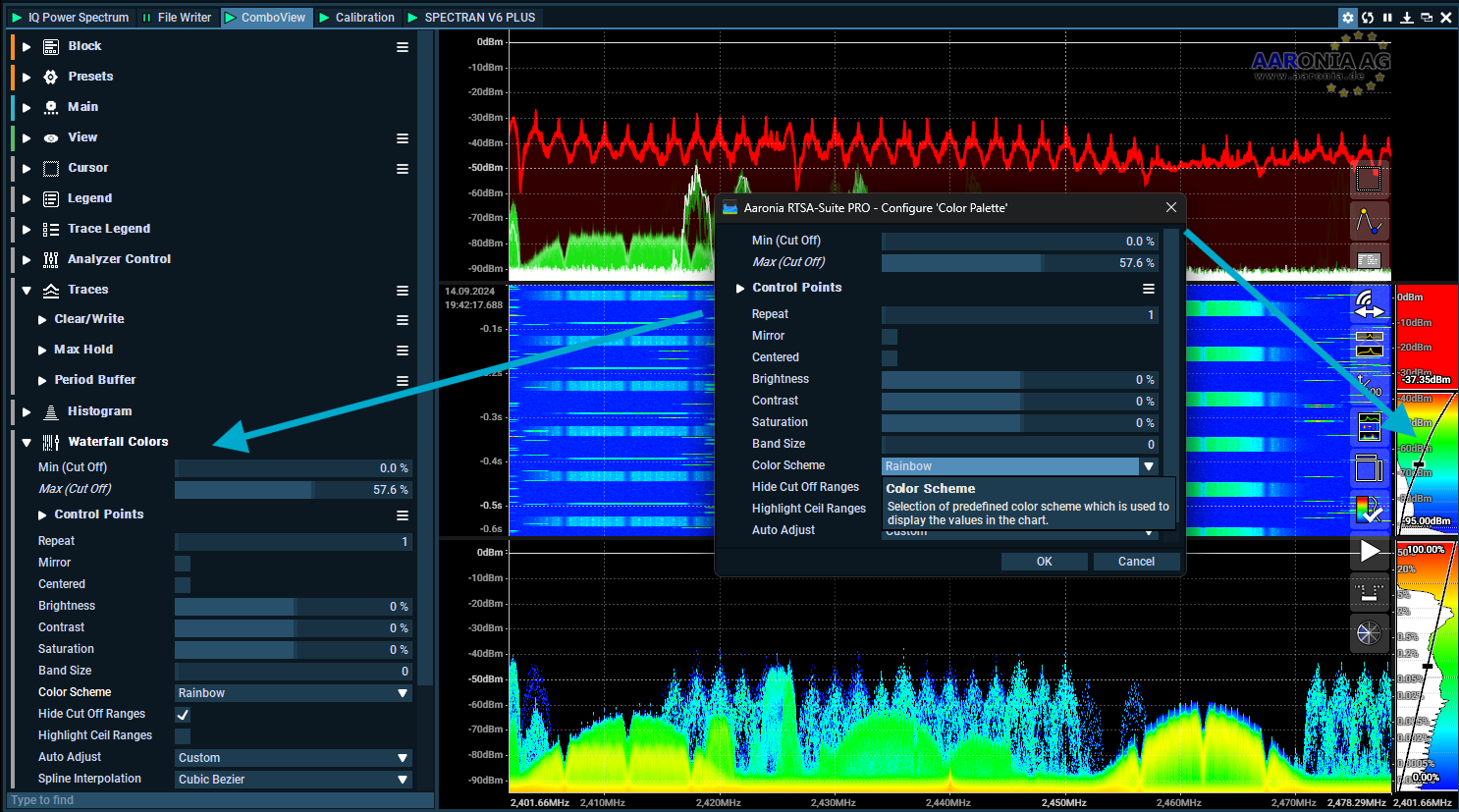
There are a lot of different options here, but I do like the Spectran and SpectranLambda (used in the picture below) and Circular Rainbow. Select the one that you like the most.

Change the Color Scale
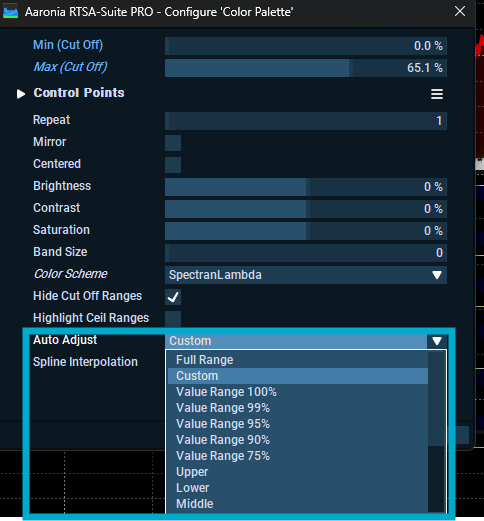
The interactive color pallette can be changed manually moving for example moving min/max cut-off range inside the interactive color pallette.

You can also set it to do it automaticly

Step 3. Histogram Colors
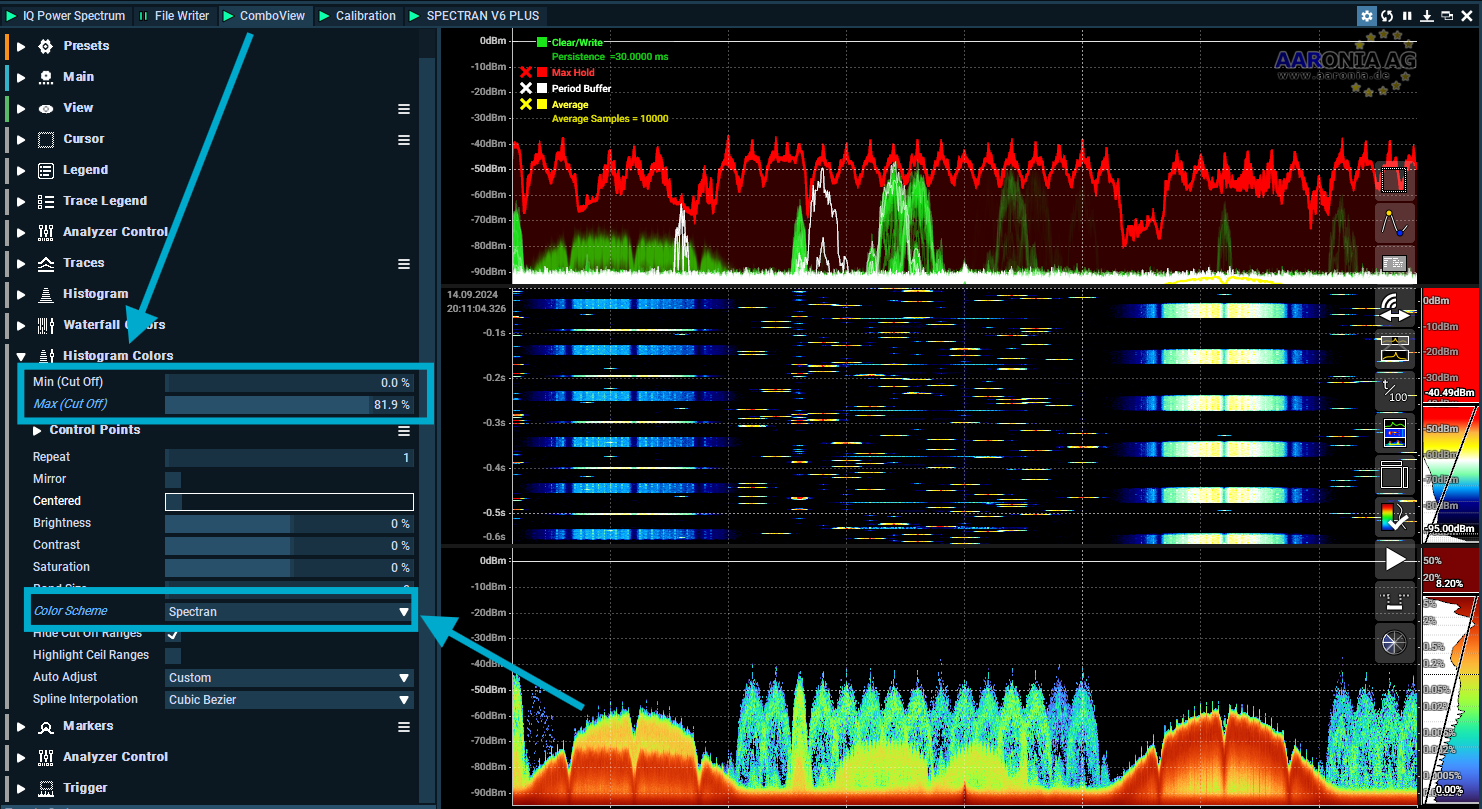
A few setting you can do here, for example change Max (cut off) to around 80% and change the Color Scheme. In the picture below I have set it to Spectran color scheme, and 81.9% Cut Off.

Step 4. Save you Block View
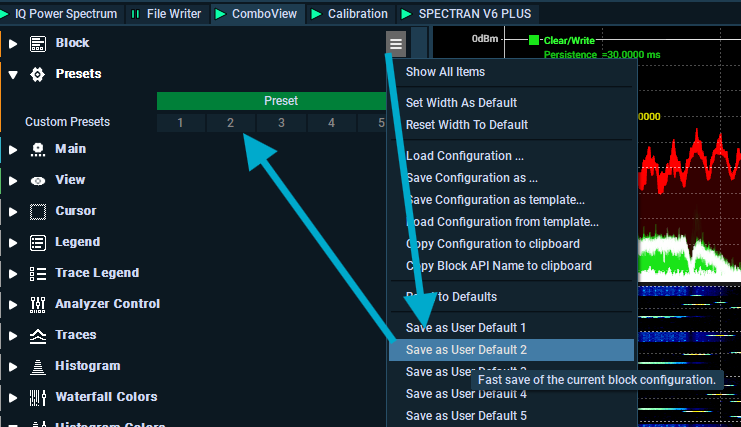
If you are happy with all the settings you have done, I recommened saving it as a User Defaut.

Step 5. Save your mission
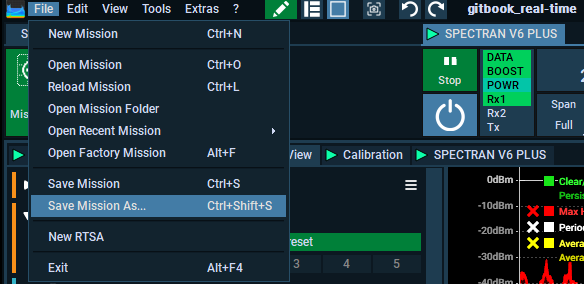
Did you forget to save earlier? Save now.

Next up, add a profile
Last updated
Was this helpful?